Text messages and consent
How people agree to get texts from businesses that use CrewMount, shown exactly as they see it.
Last updated November 24, 2026
Service businesses use CrewMount, a scheduling app made by Anglea Strategies LLC, to text their own employees about their work schedule and their own clients about appointments. One of them is Bitterroot Valley Cleaning LLC in Hamilton, Montana. Nobody is texted unless they have agreed to it in one of the ways below. Texts are never used for marketing.
1. Employees opt in inside the CrewMount app
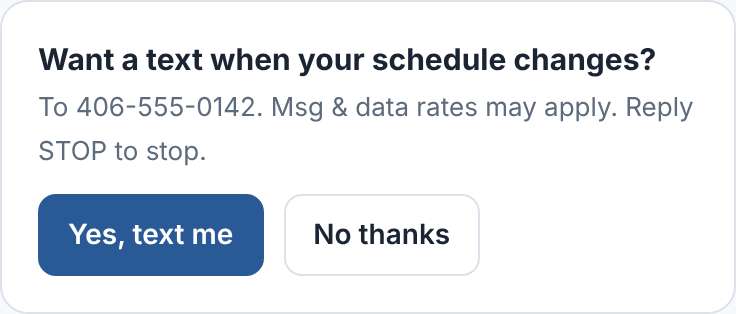
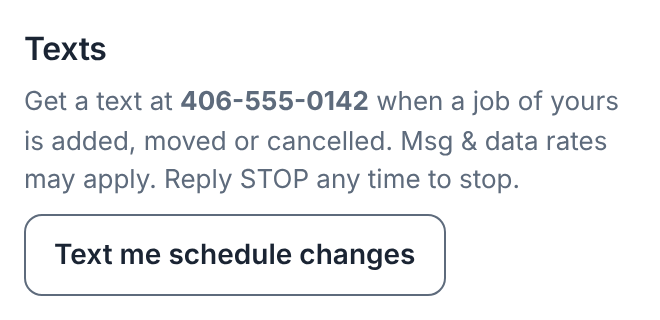
An employee adds their own mobile number in the app, then turns texts on themselves. They are asked once on the Time clock screen, and can turn texts on or off at any time under Settings → Texts. Texts stay off until they tap the button.
Right after they turn texts on, they get this confirmation:
CrewMount: You'll get a text when your schedule changes. Msg & data rates may apply. Reply STOP to stop.
2. Clients opt in when they book
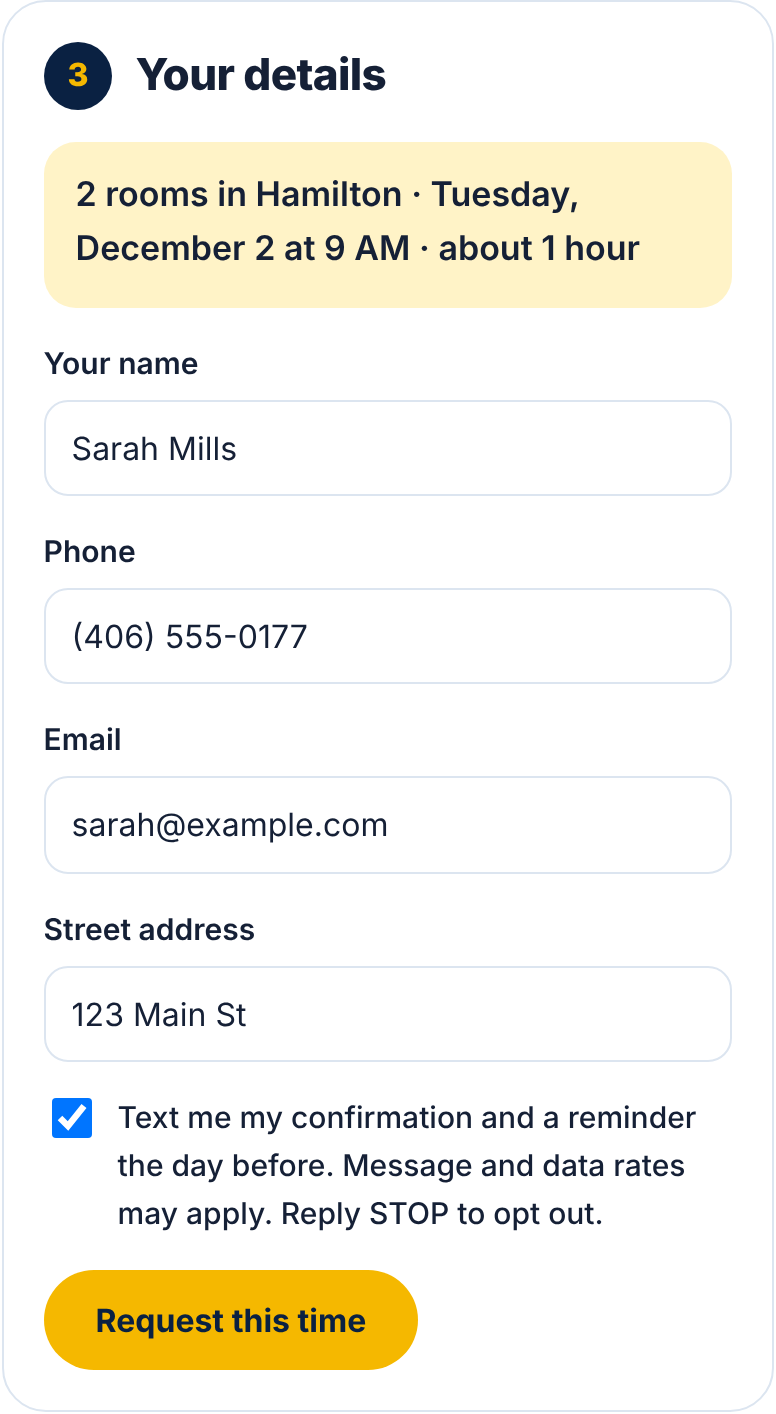
When a client books a cleaning online, the box to get texts is unchecked until they check it. This is the booking form on bitterrootcleaning.com (shown with sample details):
Clients can also text the business's number first with a question or request; the business replies to that conversation.
What people get
- Employees: new, moved or cancelled jobs, and reminders before a shift.
- Clients: booking confirmations, a reminder before their appointment, and replies to their questions.
- Message frequency varies with the schedule. Message and data rates may apply.
Stopping texts and getting help
- Reply STOP to any text to stop all texts from that business. Reply START to sign up again.
- Reply HELP for help, or contact the business directly.
- Employees can also turn texts off in Settings → Texts.
Privacy
Mobile numbers and text-message consent are used only to send these texts. They are never sold, never shared with third parties or affiliates for marketing, and never used for marketing. See our Privacy Policy and Terms.